 Expandi
Push engagers or post authors from Jungler into your Expandi outreach campaigns automatically.
Connecting Expandi
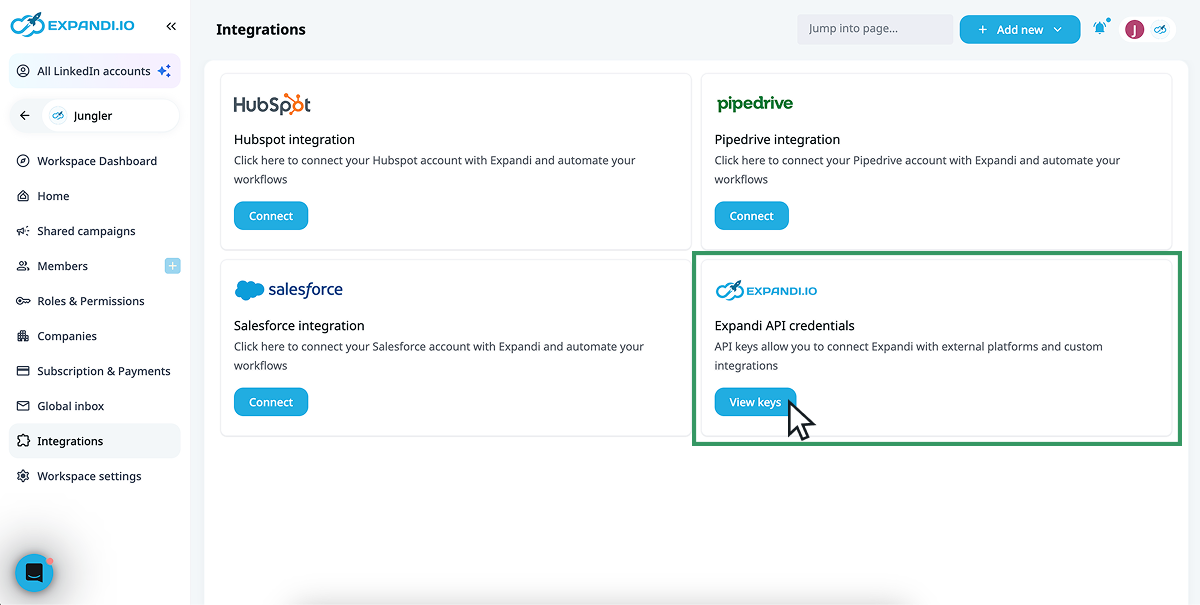
In Expandi, go to Integrations and click View keys on the Expandi API credentials card to get your API key and API secret.
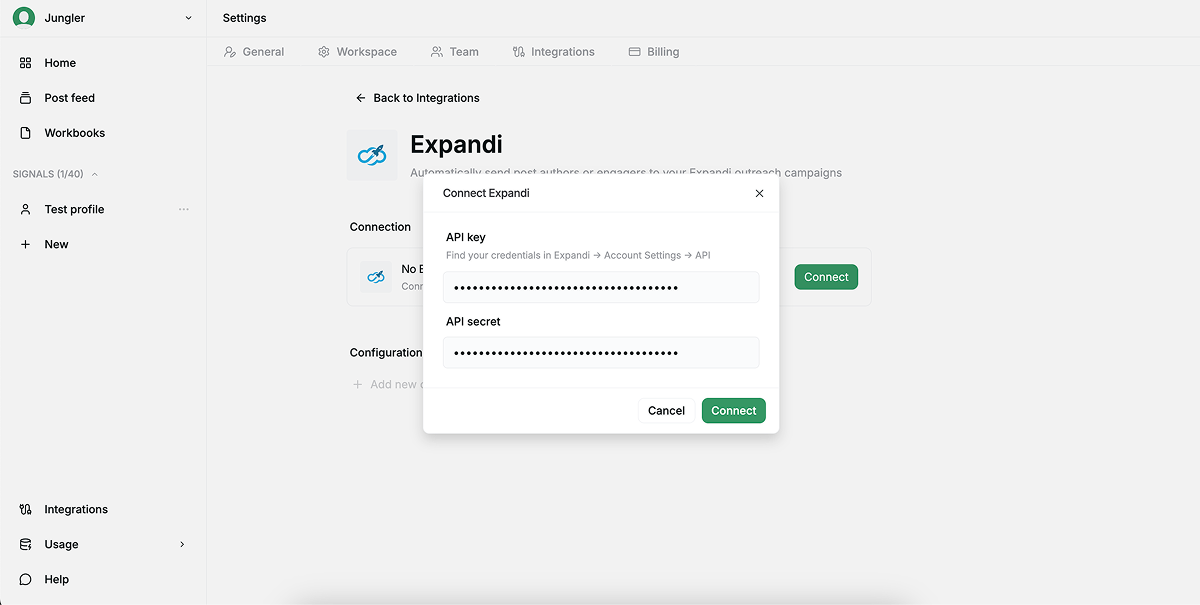
Then open Jungler. Go to Settings > Integrations > Expandi.
- Click Connect.
- Paste your API key and API secret, then click Connect.
Adding a configuration
Each configuration routes a set of signals to one Expandi campaign.
NB! You need at least one campaign in Expandi before creating a configuration in Jungler.
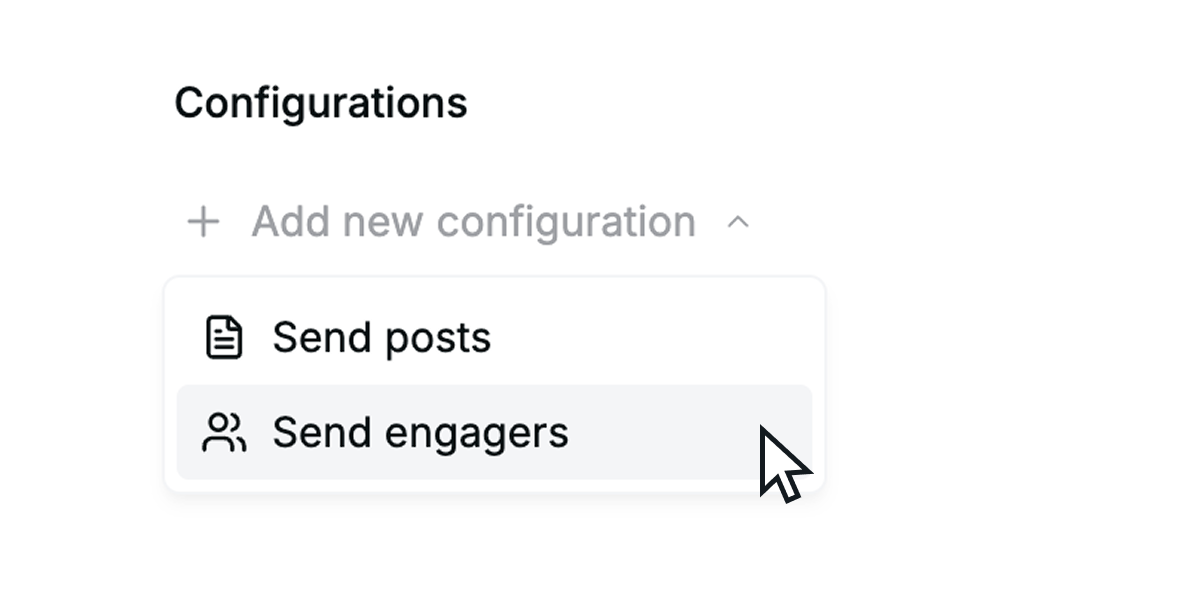
- Under Configurations, click Add new configuration and choose Send posts or Send engagers.
- Name the configuration (e.g., Hot leads to Expandi).
- Pick the target LinkedIn account and Campaign from the dropdowns.
- Under Select signals to sync, tick the signals to include.
- Under Fields to send, tick which fields to sync to Expandi.
- Use Filters to narrow which leads are sent. Leave empty to send all.
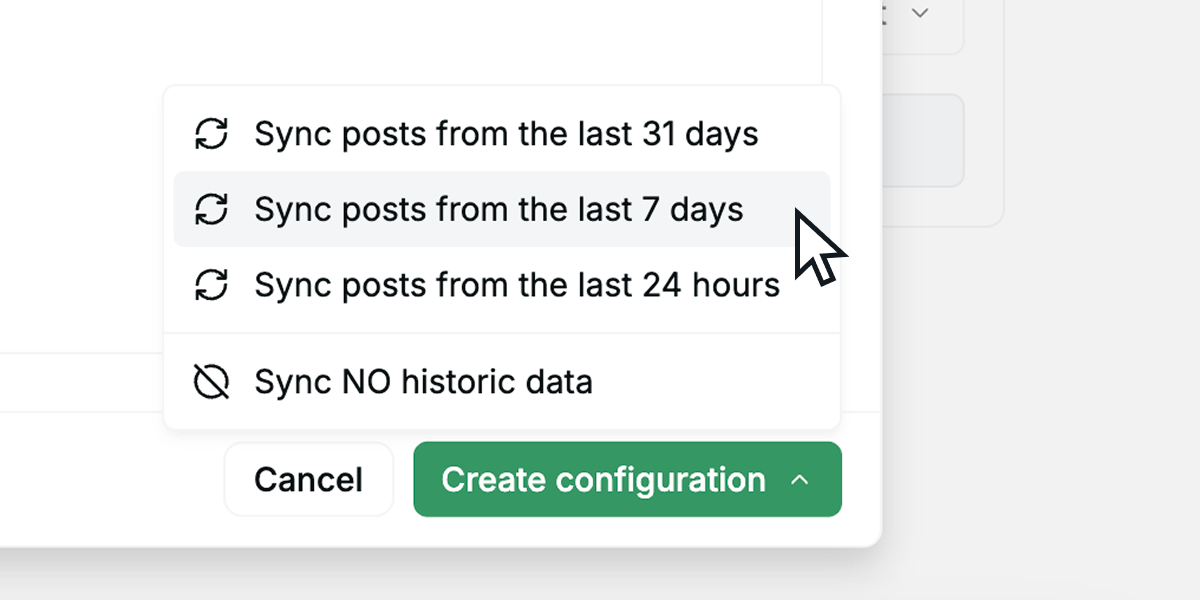
- Click Create configuration and pick a historic sync range — last 24 hours, 7 days, 31 days, or no historic data.
Repeat to route different signals to different campaigns.
Email — and its paired Email status — is one of the Fields to send. When it's selected, a lead syncs once email finding completes (shortly after the lead is first seen); leads whose email can't be found still sync, with a blank email. Email status distinguishes found, not_found, and pending.