 HeyReach
Push engagers or post authors from Jungler into your HeyReach outreach campaigns automatically.
Connecting HeyReach
In HeyReach, go to Settings > Integrations > Public API.
- Copy your API key. Click New API key to generate one if you don't have it yet.
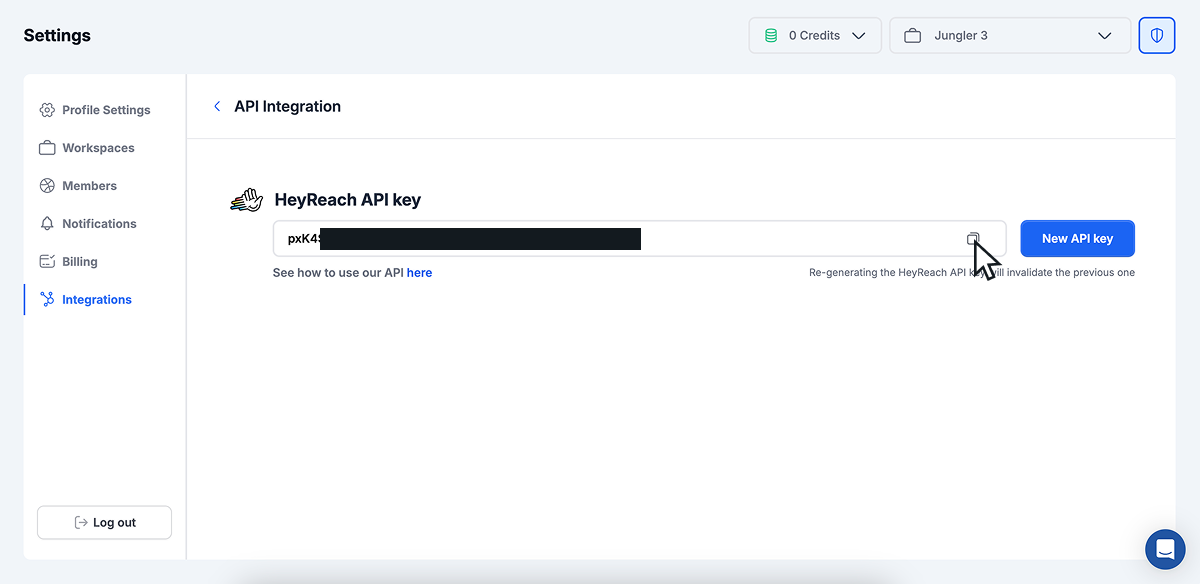
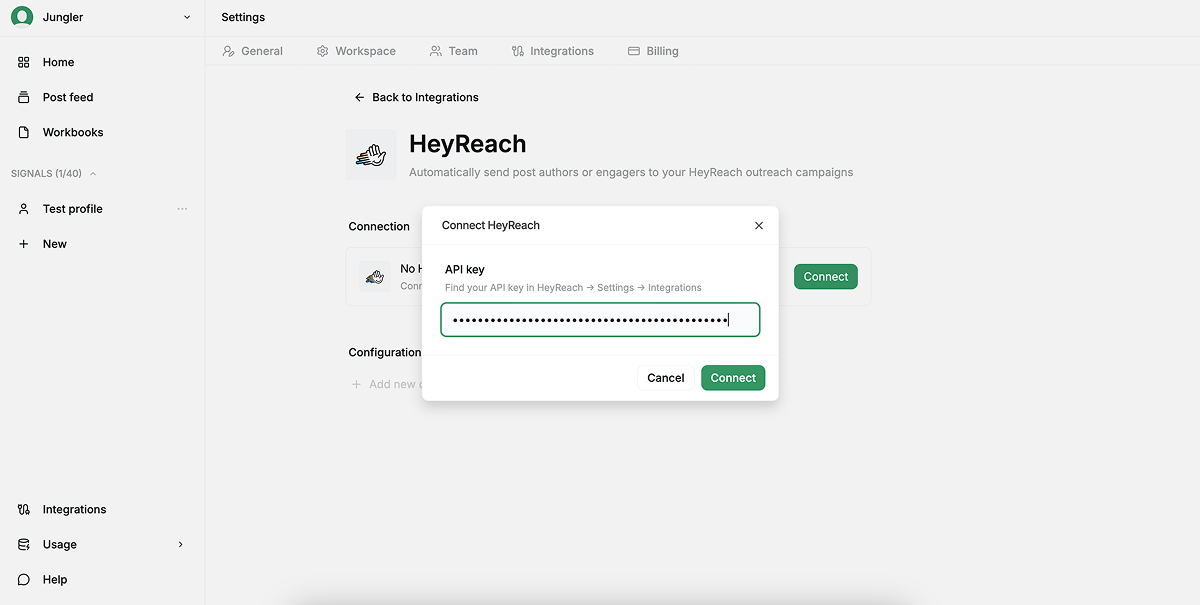
Then open Jungler. Go to Settings > Integrations > HeyReach.
- Click Connect.
- Paste your API key and click Connect.
Adding a configuration
Each configuration routes a set of signals to one HeyReach campaign.
NB! You need at least one campaign in HeyReach before creating a configuration in Jungler.
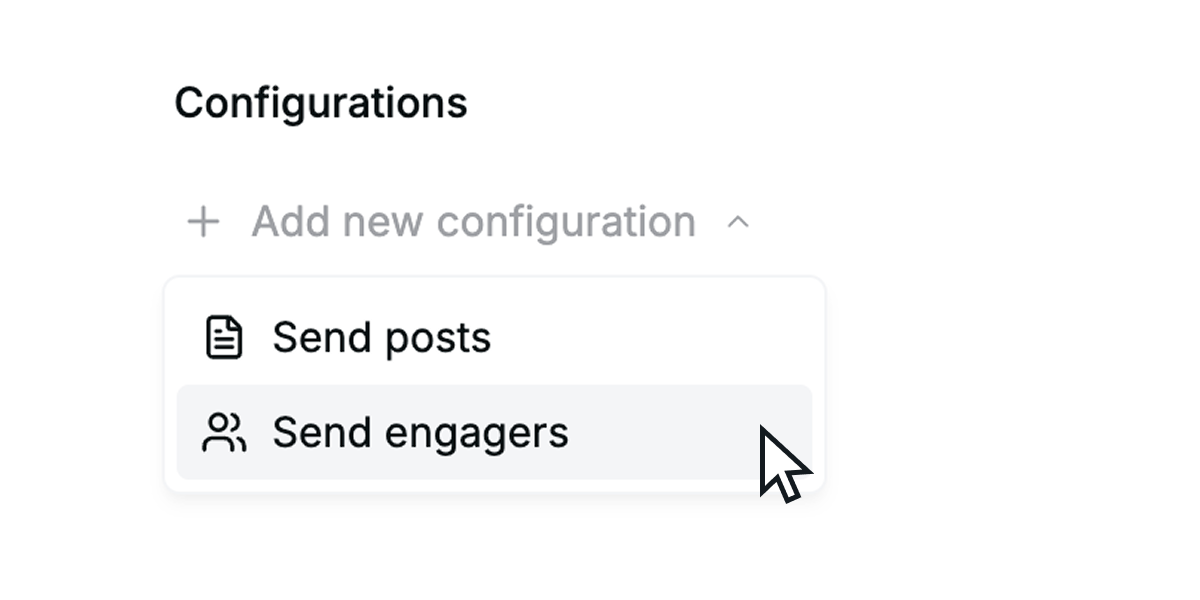
- Under Configurations, click Add new configuration and choose Send posts or Send engagers.
- Name the configuration (e.g., Hot leads to HeyReach).
- Pick the target Campaign from the dropdown.
- Under Select signals to sync, tick the signals to include.
- Under Fields to send, tick which fields to sync to HeyReach.
- Use Filters to narrow which leads are sent. Leave empty to send all.
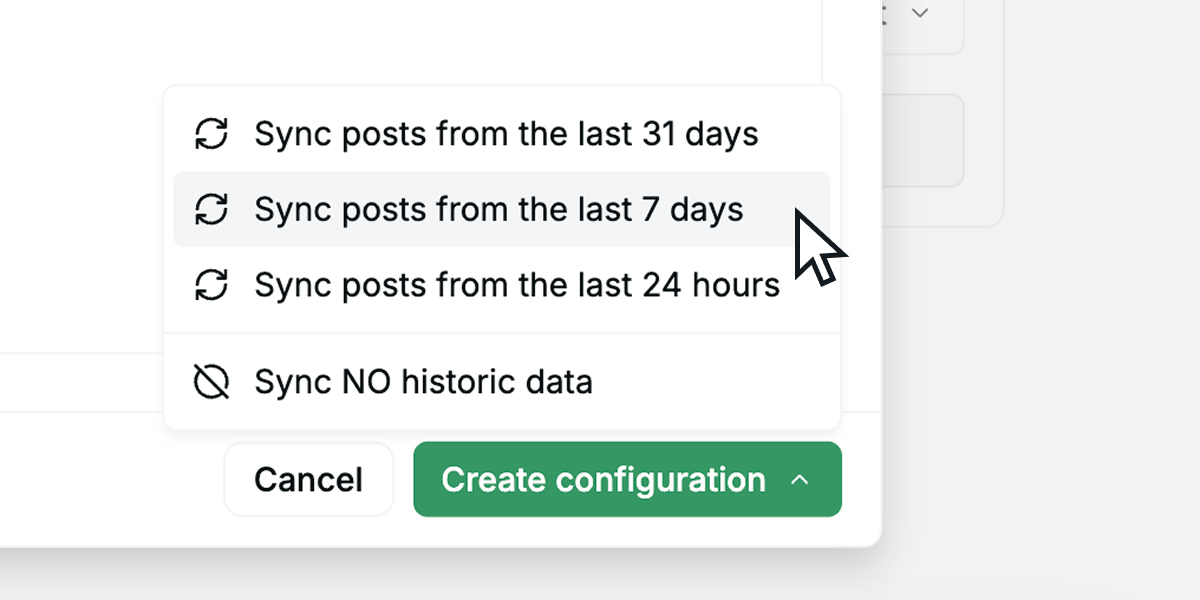
- Click Create configuration and pick a historic sync range — last 24 hours, 7 days, 31 days, or no historic data.
Repeat to route different signals to different campaigns.
Email field
Email — and its paired Email status — is one of the Fields to send. When it's selected, a lead syncs once email finding completes (shortly after the lead is first seen); leads whose email can't be found still sync, with a blank email. Email status distinguishes found, not_found, and pending.